my.anydesk I
🚨 IMPORTANT
The my.anydesk I management console will soon be deprecated. Migrate your account to my.anydesk II now.
my.anydesk.com is the primary interface for managing your account, license, clients, and session history. For Advanced and Ultimate license holders, it also provides a custom client generator.
The portal is organized into main sections:

License
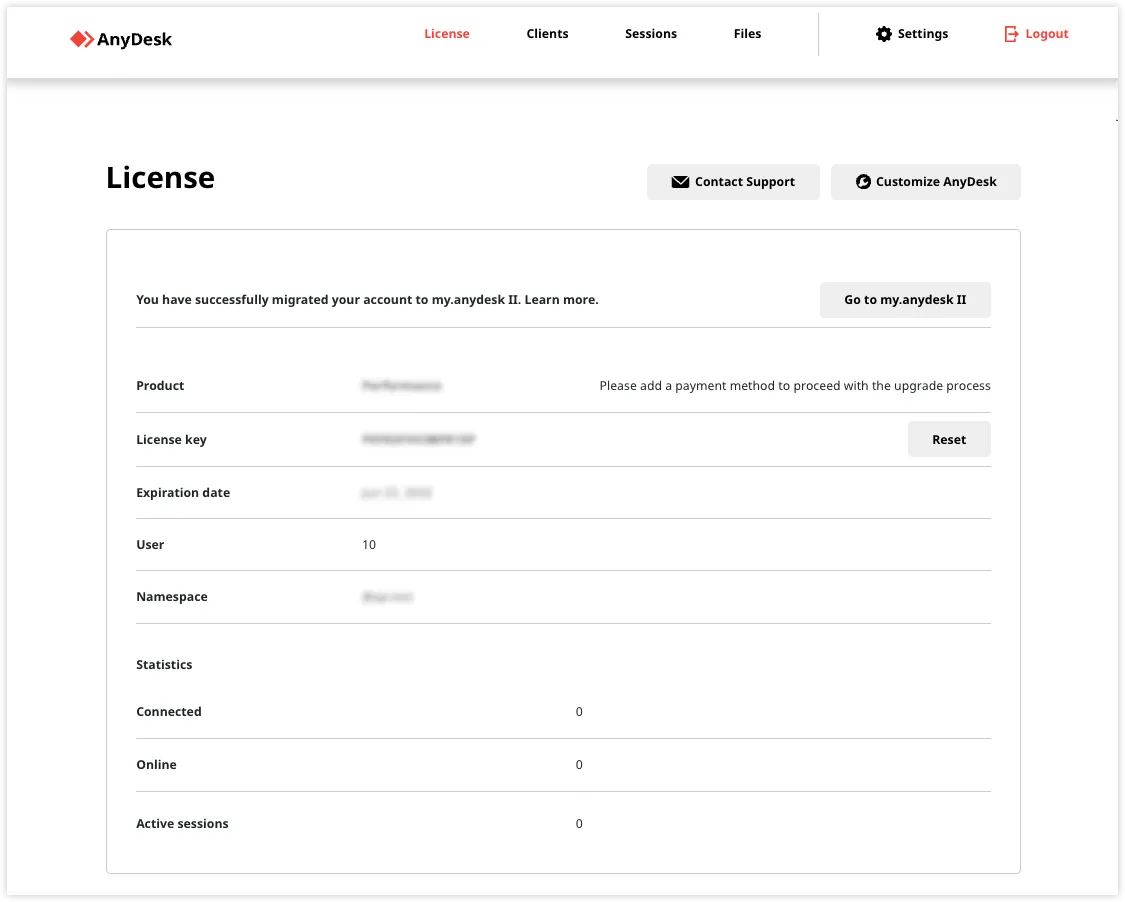
Use the License tab to view your license and account information:
- Product - Current license type.
- License key - View or Reset your license key.
- Expiration date - Date until the license is valid.
- User - The amount of users available in your license.
- Namespace - Your custom namespace.
- Connected/Online - Statistics on clients currently linked to your license.
Clients
The Clients tab lists all devices registered to your account:
- Export to CSV - Download the list.
- ID/Alias - Unique identifiers for each client.
- Details arrow - Navigate to the Client Details page to manage Aliases or unlink devices.
Sessions
The Sessions tab provides a complete history of all remote connections performed under your license, including start/end times and duration. This data is essential for auditing and support tracking.
Files
The Files tab is where you manage your custom AnyDesk clients. You can view details OS, version, and prefixes, and generate public download links for your customized installers.
Settings
Use the Settings tab to manage your portal experience:
General
Modify localization settings (language/timezone), configure CSV export options, change your portal password, and enable Two-factor authentication for enhanced security.
Customer
View your account’s contact details and registered information.
FAQ
For all matters related to billing, payments, and invoices, please contact your authorized partner or account manager. As these processes are managed externally to ensure personalized service, you will not find payment management options within the my.anydesk I portal.
Click to continue reading
- Published at