How can I change the password for my.anydesk?
In this article, you will learn how to change your my.anydesk password. Regularly updating your password helps protect your account and safeguard your data.
💡NOTE
If you forgot your password and cannot log in to my.anydesk, you shouldreset your password instead.
my.anydesk II
my.anydesk I
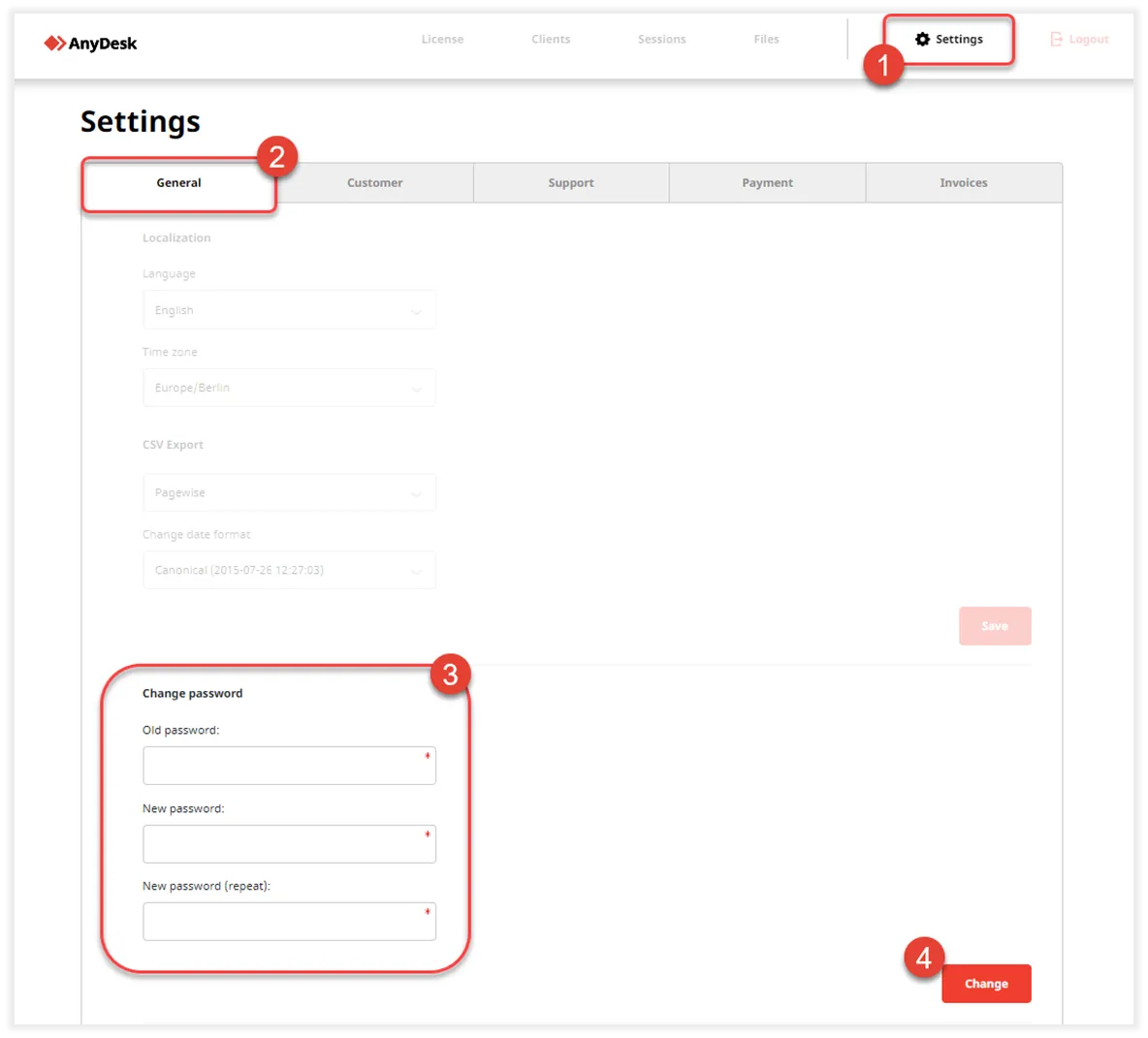
To change your my.anydesk I password:
- Sign in to my.anydesk I and navigate to Settings.
- In the General tab, go to the Change password section
- Update your password and click Change.
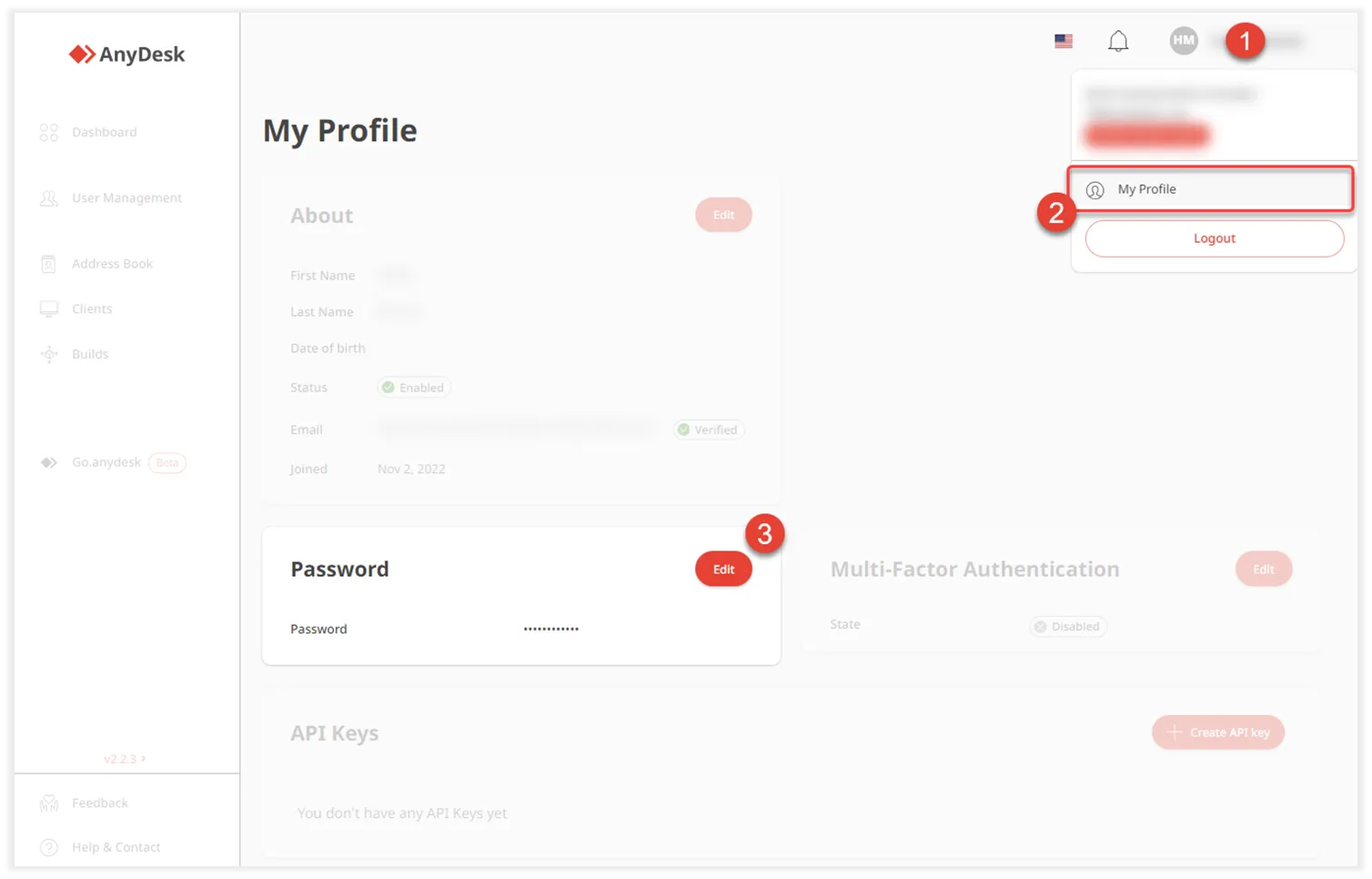
To change your my.anydesk II password:
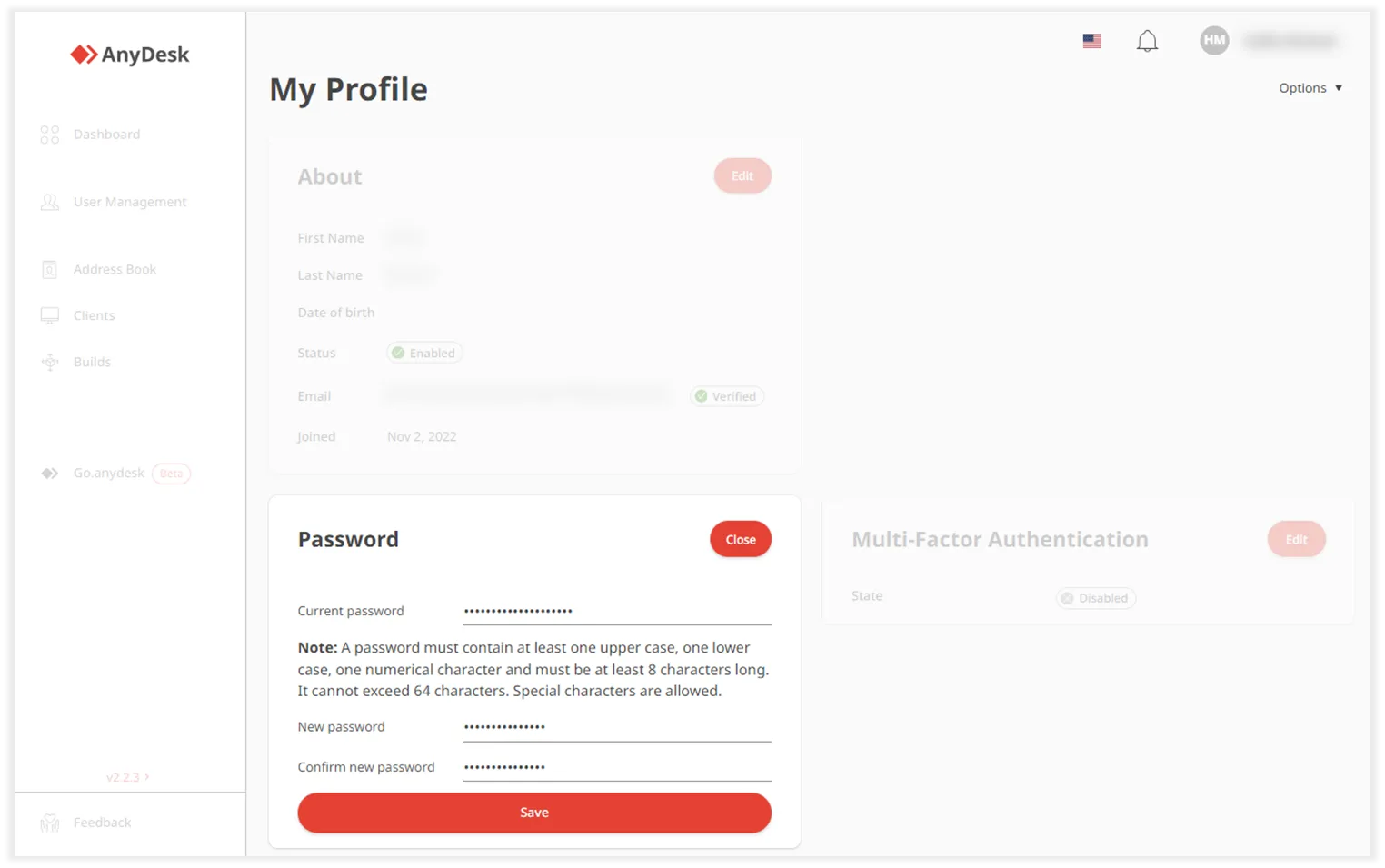
- Sign in to my.anydesk II, click your name > My Profile, and in the Password section, click Edit.
- Update your password and click Save.
Click to continue reading
- Published at